Thursday, 29 January 2015

How to Block Ads on Your Android Device Easily by DEB!!!

How to Block Ads on Your Android Device Easily !!!

  • Tired of ads?
    Do you want to block ads on your android device adblock plus and adaway are the best solutions you can find out there. What are you waiting for? Download and enjoy :)
    Notes
    • None of these apps are found on google play store
    • Adaway need root access
    • Adblock Block Plus works with or without root access
    How to install?
    1. Download one of the apps apk from the links below.
    2. In settings allow installing apps from unknown sources.
    3. Install the app.
    4. Enjoy ad free web experience ;)
    Screenshots
    Download Links

Tuesday, 20 January 2015

BlueStacks App Player 0.9.7.4 Cracked by DEB!!!

BlueStacks App Player 0.9.7.4 Cracked Version is Here ! [LATEST]

  • BLUESTACKS
    BlueStacks App Player
    BlueStacks HD App Player Pro is a plateform that allows you to run applications, including games written for OS Android – on desktops, laptops and tablets and also this package contains all files to install it offline. This is a special program that uses a technology called LayerCake, which provides the correct environment for running applications for ARM-Android on a computer running Windows. Get Root (right super – user).
    After you install BlueStacks on your Windows PC, you can download directly from the program needed Android-app, without having to use the Android-based smartphone. BlueStacks looks pretty neat and fits naturally into the interface Windows.
    Features List
    • Run Android applications in full-screen and not only.
    • Through the cloud download your application from the phone to Windows.
    • In 16 player preinstalled applications and you can play them if there is no number.
    • Ability to set an unlimited number of applications.
    • Ability to play 3D games (cache).
    • You can set a home screen (Launcher) to replace the standard, etc.
    • Sync with your Android device will allow you to make calls, send SMS, take pictures and more.
    • Has a lot of settings and system settings Android (Although they are slightly trimmed)
    • Knows how to install applications from a computer at the touch of them
    • Ability to obtain Root (full access to the file system, etc.)
    • You can set Google Play, simply speaking market.
    • BlueStacks great friends with ADB is a very big plus, if you really want, you can change the firmware.
    • Ability to turn in FastBoot and Recovery.
    • BluesStacks has virtual disk, such as SD Card, Data, and a few others. Which again gives you the opportunity to do a lot of “body” motions with it and enjoy all its charms.
    • Ability to obtain Root (full access to the file system)
    What’s New ?
    • Now Bluestacks App player Works with Bitdefender AV/IS/TS; Problem has been fixed in this release
    • Bug fixed
    Cracked Version Info
    • Simple Launcher Interface
    • SuperUser Support
    • SuperSu Support
    • Import Windows Files directly from your PC to bluestacks
    • Root Explorer Support
    • Advanced Calculator Support
    • Clock, Camera, and other accessories support
    • Root Checker Support
    • Build in Media Player which run mp3, mp4 and many other formats easily
    • Many more…
    How to Run Speed Up BlueStacks ?
    • Press Start Button with “R” Key [image]
    • Search the regedit in newly opened windows [image]
    • Click on HEKY_LOCAL_MACHINE >>> SOFTWARE [image]
    • Then select Bluestacks >>> Android >>> Hit enter on Memory and replace 300 to 600; then click on decimal and click “OK” [image]
    • That’s it; you will have successfully speed up your bluestacks
    How to Install?
    • Extract winrar files and run given app as an administrator
    • Just wait and follow the instructions during installation of setup into your PC
    • After Completing the installation; Bluestacks will automatically launch; just select some options which will appear on screen
    • That’s it. Now run your all apps which supports the Android 4.4.2 and earlier. :)
    Screenshots
    Requirements!
    • To run 3D games need support virtualization technology Intel® VT-x or AMD-V ™
    • To install the BlueStacks need a video card that supports OpenGL 2.0 or later
    • To start BlueStacks need about 1GB of RAM, otherwise you run the risk of “infinite loading”.
    • For optimum performance, BlueStacks is highly desirable to update your graphics card drivers
    • NVIDIA – (WHQL – certified, stable drivers. Beta – unstable, but can increase in speed)
    • AMD RADEON – (Download drivers – Category components: Desktop / Notebook Graphics)
    • INTEL – (family of products: graphics adapters)
    Downloads
    OLDER STABLE VERSIONS

Friday, 5 December 2014

Encyclopædia Britannica 2014 Ultimate Edition by DEB!!!


Download Encyclopædia Britannica 2014 Ultimate Edition - Encyclopedia Britannica

  • Views:12902987


Britannica encyclopedia, which was first published in Edinburgh in 1768 and is the oldest English-language encyclopaedia available. This encyclopedia is now one of the most authentic sources of the English language is that today was going to edit and publish it. Britannica by 19 full-time editors and over 4,000 expert contributors, written and in many cases, and academic degrees Lmytryn world known.
Ages 18 to 20 during the Britannica articles by expert contributors on various topics reviewed and approved the research was done and sometimes to prepare papers. The term gained Encyclopedia Britannica English by unique reputation among many to have been, so that in the twentieth century and the eleventh edition of the series used as a reference for the common people and scholars were valid.
Encyclopædia Britannica 2014 Ultimate Edition offers the latest electronic edition of this invaluable scientific product sales ranked first in the application of knowledge, and with more than a hundred scientific papers and a valid SJKU from Encyclopædia Britannica thirty-two to you have a Mac , all the desired information in the fields of sports, science, history, technology, culture, politics, nature, and more than most, to-date, and complete source of your world.

This version of Britannica great reference information for the three main groups have been prepared and are separately classified.
1. Reference and full of valuable information for children.
2. Reference and full of valuable information for secondary level students and faculty.
3. Reference valuable information and is perfect for people of advanced science.

Encyclopædia Britannica 2014 Ultimate Edition What made ​​valuable scientific information?
- A 105 959 scientific articles and valuable form of 59,863,461 words!
- Comprehensive Atlas Britannica 75,907 publications to date.
- 15,994 paper for the students.
- 2,752 articles for elementary age children.
- Article 81 of the Press, Britannica Classics.
- 11 225 articles published in a series of Britannica Year In Review 1993-2005.
- With 33,927 images, tables and illustrated descriptions.
- A 2900 map of locations around the world.
- Has 435 clips for fixing articles.
- With 634 audio clips for fixing articles.
- Contains 43 animated animation .
- A world of information source 288.
- With 1,098 issues of the day.
- Has 166,000 links to web pages of information online about.
- The use of dictionaries and reference relevant information Merriam-Webster.
- Webster dictionary contains 405,000 words, phrases and explanations for this.
- Webster's Dictionary, Thesaurus and description of the information that contains 50,000 words.
- Games and Online activities and numerous informative.
- 211 online educational games and activities for students.
- 246 online educational games and activities for children.

In addition to numerous articles and helpful valid on the date of the new features of this version can be very attractive and user-friendly software environment with its interesting features noted.

Saturday, 27 September 2014

f.lux : Better lighting...for computer by DEB!!!

f.lux: Better lighting...for computer


Ever notice how people texting at night have that eerie blue glow?
Or wake up ready to write down the Next Great Idea, and get blinded by your computer screen?
During the day, computer screens look good—they're designed to look like the sun. But, at 9PM, 10PM, or 3AM, you probably shouldn't be looking at the sun.

f.lux

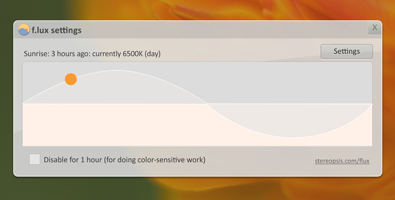
f.lux fixes this: it makes the color of your computer's display adapt to the time of day, warm at night and like sunlight during the day.
It's even possible that you're staying up too late because of your computer. You could use f.lux because it makes you sleep better, or you could just use it just because it makes your computer look better.

Free for Windows.

(also available for Mac, Linux , and iPhone/iPad)
By downloading, you agree to the f.lux EULA

f.lux makes your computer screen look like the room you're in, all the time. When the sun sets, it makes your computer look like your indoor lights. In the morning, it makes things look like sunlight again.
Tell f.lux what kind of lighting you have, and where you live. Then forget about it. f.lux will do the rest, automatically.